About the 10 Minute Timer
Ten minutes gives you enough time to finish something real while staying short enough to hold your focus from start to end.
Ten minute habits
Ten minutes a day is a popular starting point for new habits, such as reading, language practice or a short meditation. Using the same timer each day makes the habit easier to repeat.
A warning before screen time ends
Parents and teachers often give a ten minute warning before a game or a lesson ends. Start this timer and let children watch the ring, so the stop time does not come as a surprise.
Meetings and stand ups
A daily team stand up is meant to be short. Show this timer on the shared screen and wrap up when the alarm rings. Add a minute with +1 min if you need to finish a point.
Ten minutes of focus
Ten minutes is a good test run when you cannot face a big task. Work only on the first small step until the alarm rings. You will either finish that step or find out exactly what is blocking you, which is useful either way.
Cooking with ten minutes
Plenty of quick dishes fit into ten minutes, such as boiled eggs, fresh pasta or a simple stir fry. Keep the tab open next to the recipe and add a minute with +1 min if the food needs a little longer.
Quick ideas
- Stretch or do a short yoga flow
- Read a few pages
- Run a quick team stand up
- Tidy one room
How to use it
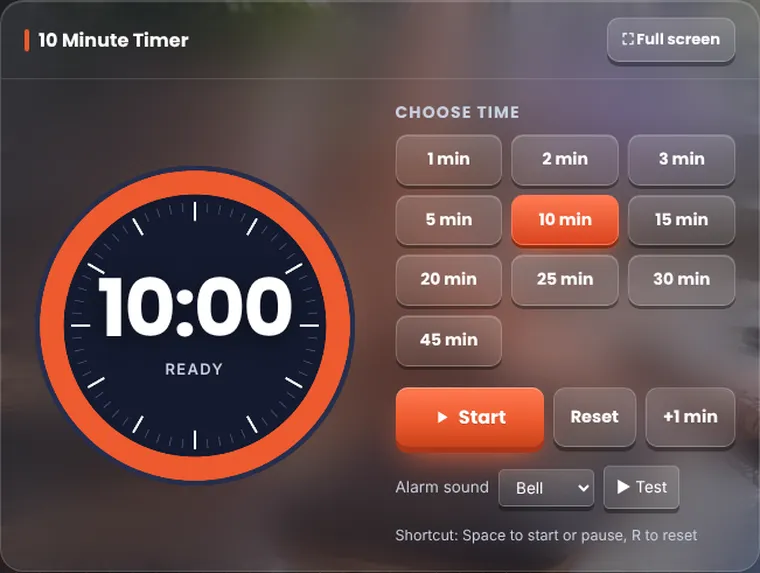
Press Start. The orange ring shrinks as time passes and the time left also shows in your browser tab, so you can see it while you work in another tab. Press Pause to stop and Resume to carry on. When it reaches zero, the alarm plays and the numbers flash.
10 Minute Timer in seconds, minutes and hours
| Unit | Value |
|---|---|
| Seconds | 600 |
| Minutes | 10 |
| Hours | 0.1667 |
Related tools
Frequently asked questions
How do I set a 10 minute timer?
Open this page and press Start. The timer is already set to 10 minutes, and an alarm rings at zero.
Will the alarm ring if I switch tabs?
Yes. Keep this tab open and the alarm plays at zero, even if another tab is in front.
Can I pause and resume?
Yes. Press Pause to stop and Resume to carry on from the same second.